Placard
v1.6.6Browse, create, install, and manage custom PosterBoard wallpapers for iOS 26.0 – 27 beta 4.
Last updated:
Placard is an iOS app for browsing, creating, installing, and managing custom PosterBoard wallpapers. It fetches the community wallpaper catalog, downloads selected .tendies packages, validates and extracts their PosterBoard descriptors, and assigns fresh identifiers before installation. You can also turn a vertical video of up to 12 seconds into a looping or auto-reversing lock-screen wallpaper. On supported physical devices, bad_query provides access to the PosterBoard container, with a SpringBoard refresh powered by NeoSpring.
What is Placard?
Placard browses, creates, installs, and manages custom PosterBoard wallpapers for iOS 26.0 – 27 beta 4. Self-sign with Xcode 26 or sideload the unsigned IPA.
Quick facts
- Version
- v1.6.6
- Released
- 2026-08-21
- GitHub stars
- 201
- IPA size
- 4.0 MB
Source: official GitHub repositories
Placard highlights
Everything Placard brings to custom PosterBoard wallpapers.
Community Catalog
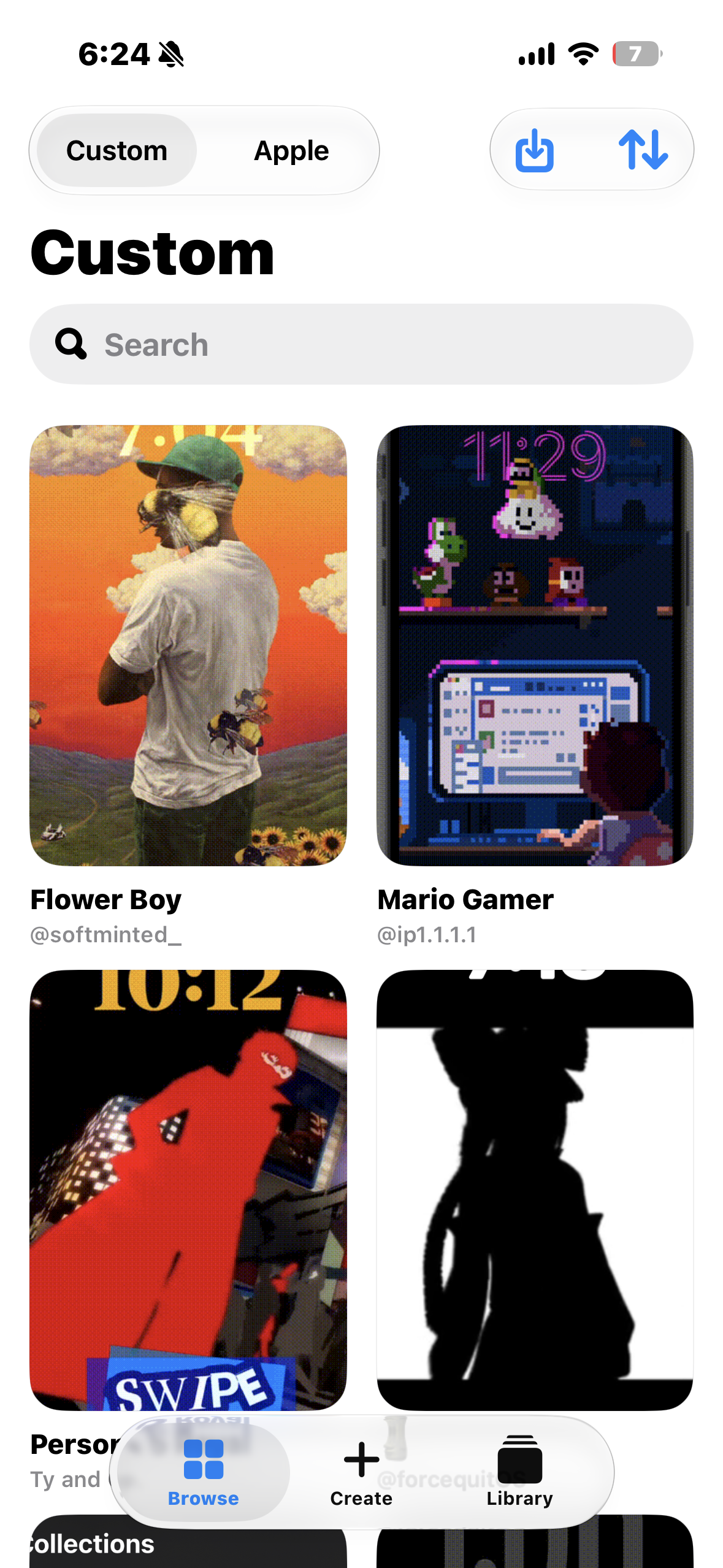
Browse, search, sort, and preview community-made interactive wallpapers before installing.
Download or Import .tendies
Install .tendies wallpaper packages directly from the catalog or import local packages from your device.
Video Wallpapers
Turn a vertical video of up to 12 seconds into a looping or auto-reversing Lock Screen wallpaper.
Install into PosterBoard
Install wallpapers directly into PosterBoard on supported physical devices, with fresh identifiers assigned automatically.
Library Management
View and remove installed custom and featured wallpapers from one place.
NeoSpring Refresh
Refresh SpringBoard after wallpaper changes using the NeoSpring technique.
Signing & install
Specific steps for getting Placard onto your iPhone.
Get the app
Build placard.xcodeproj in Xcode 26 with your development team, or download placard-v1.6.6-unsigned.ipa from the terobox share link.
Install on a physical device
Sign and run the app on a supported physical device. The Simulator can browse the catalog but cannot install or manage system wallpapers.
Browse the catalog
Search and preview community wallpapers, or turn a short vertical video into a custom lock screen wallpaper.
Install and refresh
Install a wallpaper into PosterBoard and refresh SpringBoard with NeoSpring.
Preview
Research software warning
Placard relies on behavior that is not provided by a public Apple API. Compatibility may change between iOS releases, and installing or deleting system wallpaper data carries risk. Use the app only on a device and OS version you are prepared to test.
Signing and install FAQ
Common questions about installing custom PosterBoard wallpaper apps.
Does Placard work in the Simulator?
Which iOS versions are supported?
Can I create my own wallpaper?
Is it safe to use?
Other PosterBoard apps
Compare with the other community IPA apps.